[Week 18] Learning Mixpanel: Creating Cohorts from a Report
![[Week 18] Learning Mixpanel: Creating Cohorts from a Report](/content/images/size/w1200/2026/02/b203a3a7-7d8b-4399-ba63-b8d720d2c74c_982x707.png)
Introduction
Welcome to Week 10 of Learning Mixpanel. I’m Ansh, a Mixpanel Certified Partner. I’ve had the privilege of working with 60+ startups, helping them set up their analytics infrastructure and gain actionable insights using Mixpanel.
Curious about my work? Check out my website for case studies, testimonials, and more details about what I do.
Tired of Mixpanel data going wrong - events missing, properties breaking, or random spikes?
Pravix makes it simple to detect these issues and keep your data clean.
Today, I’m going to talk about how to create cohorts from a report in Mixpanel.
Let’s get into it
If your preferred consumption is audio visual - access the video on Youtube
Creating Cohorts from a Report
You can create cohorts directly from a report. Depending on the report type, cohorts can be static or dynamic.
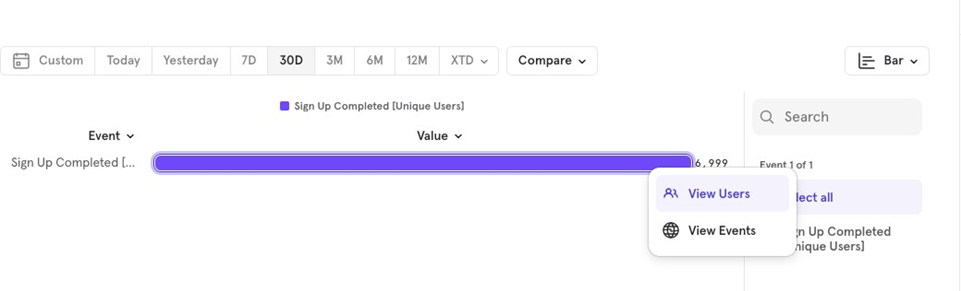
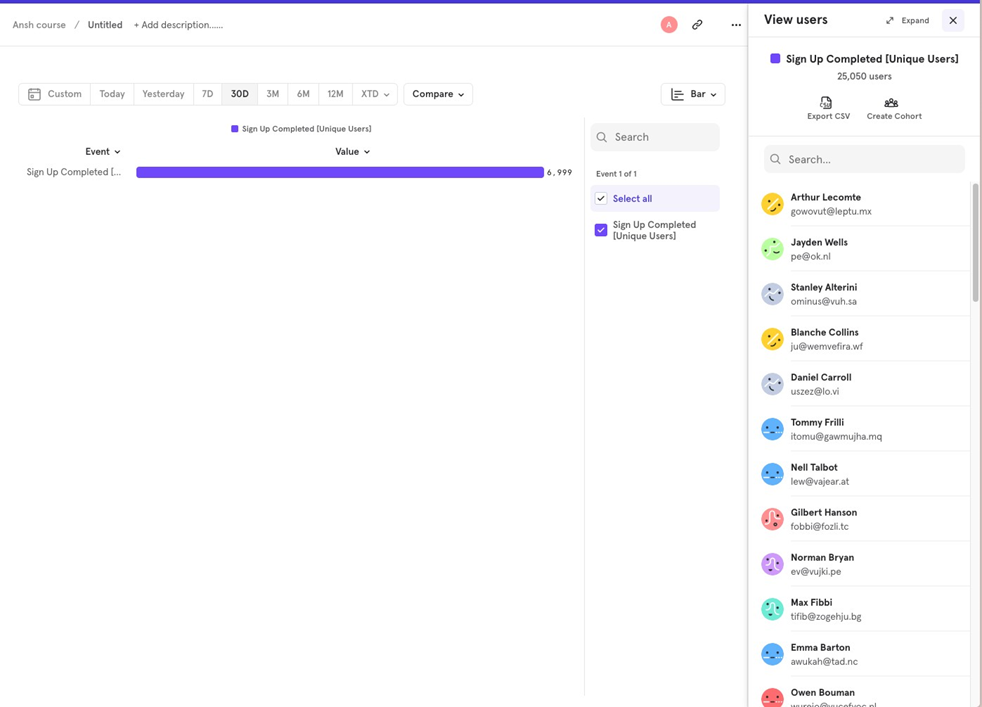
Insights report
Cohorts created from Insights are static. The cohort captures users from a specific time frame (e.g., May 20June 20, and it won’t dynamically update based on current data.
To create a cohort Click on the bar → View Users → Create Cohort.
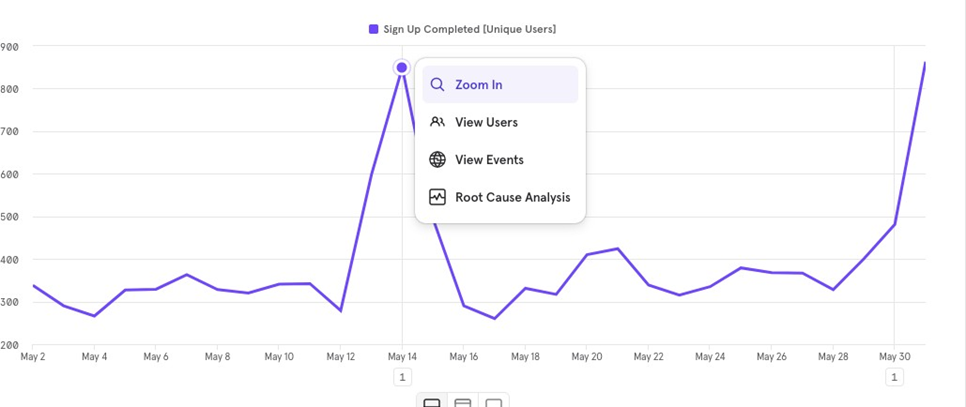
Line Chart
To create a cohort Click on the bar → View Users → Create Cohort.
Funnels Report
Cohorts from Funnels Reports are dynamic.
For example, if you create a funnel chart for Sign Up to Purchase Completed over the last 30 days, May 20 to June 20, the cohort will capture users from this period.
However, because of the dynamic nature, if your conversion criteria allow 7 days for purchase completion after signup, users who signed up yesterday still have 6 days to be counted as converted or not. The cohort will update as users complete or drop off.
To create a cohort Click on the bar → View Users → Create Cohort.
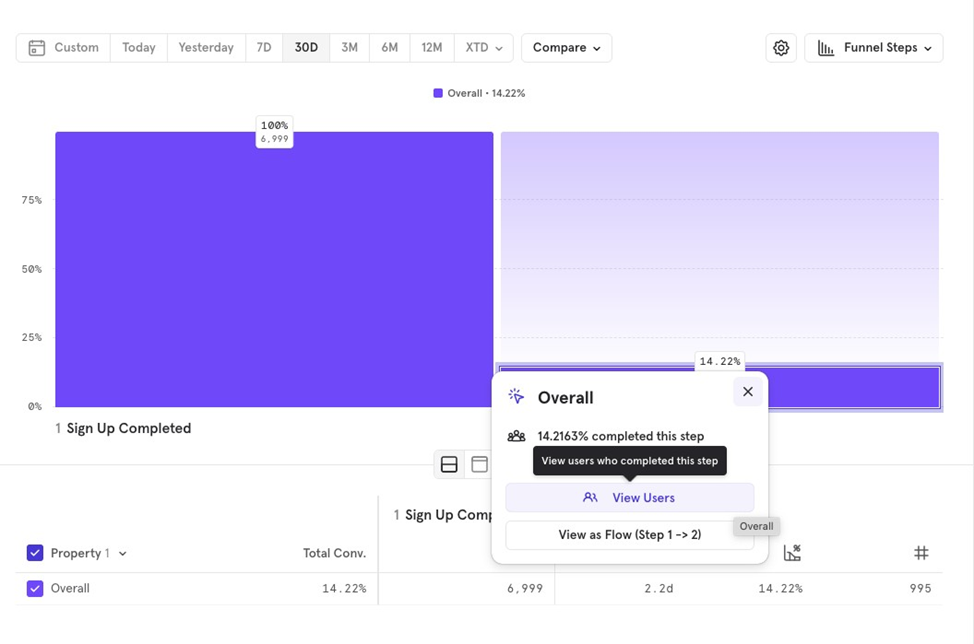
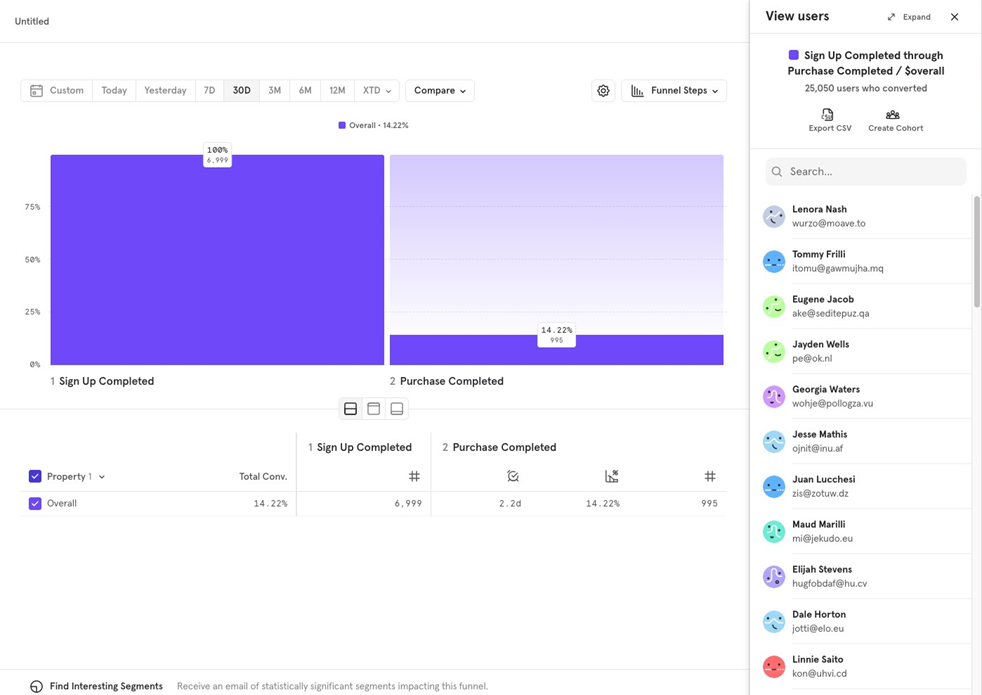
You can also click on the dropped off section to create a cohort of users who dropped off.
Retention Report
Cohorts from Retention Reports are static. You can create cohorts for either retained or dropped-off users.
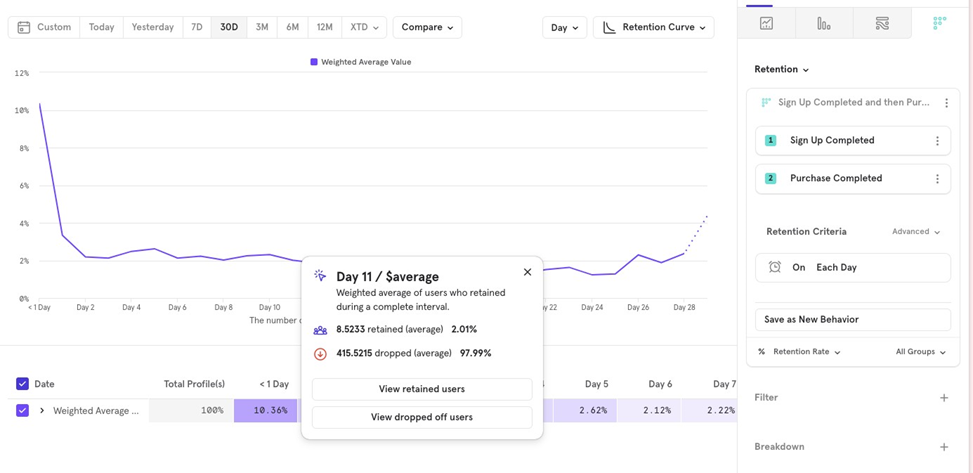
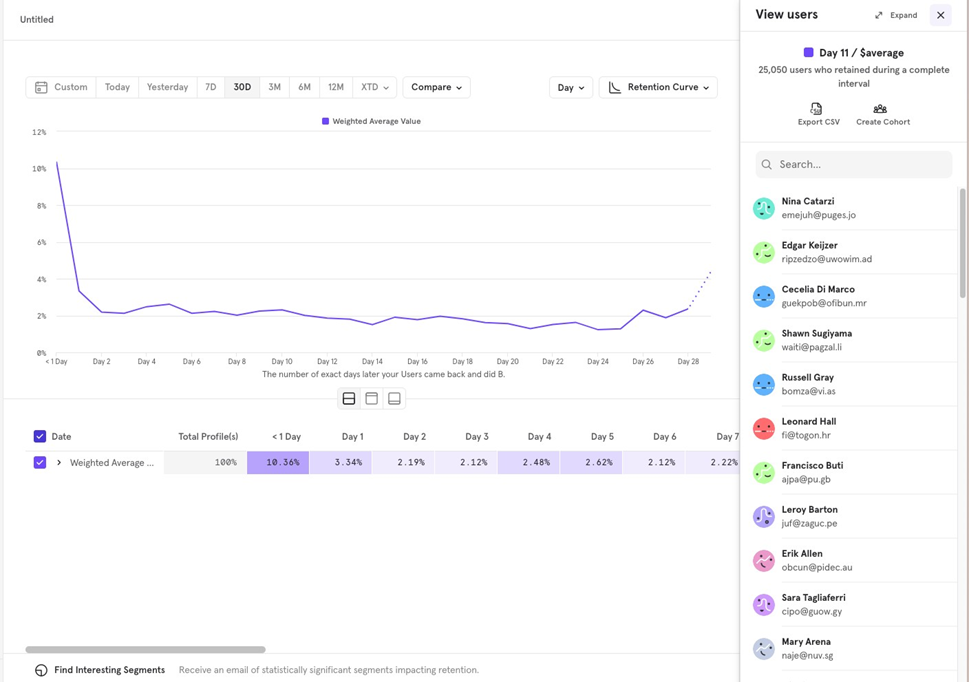
Example: If you want to create a cohort of users who returned on Day 10 after signing up in the last 30 days, the cohort will include users who completed a purchase on Day 10 during that period. This cohort is static, meaning it wonʼt update with new data.
To create a cohort: Click on the Day 10 pointer Choose between Retained or Dropped Off users → Create Cohort.

![[Week 28] Learning Mixpanel: Computed Properties](/content/images/size/w600/2026/02/e73fb366-1c52-4f79-a28f-4a0b60d6998c_836x723.png)
![[Week 27] Learning Mixpanel: Bucket Customisation Types](/content/images/size/w600/2026/02/a81f7bcb-4886-4711-b1b8-af8c5fc6b1b8_463x476.png)
![[Week 26] Learning Mixpanel: Mastering Attribution with Mixpanel](/content/images/size/w600/2026/02/4e3a164c-bfb1-479f-9f09-2f8890eac413_885x787.png)