[Week 23] Learning Mixpanel: Borrowed Properties
![[Week 23] Learning Mixpanel: Borrowed Properties](/content/images/size/w1200/2026/02/df397c26-9624-43ab-a4e2-5a97c4be72d4_885x944.png)
Introduction
Welcome to Week 23 of Learning Mixpanel. I’m Ansh, a Mixpanel Certified Partner. I’ve had the privilege of working with 60+ startups, helping them set up their analytics infrastructure and gain actionable insights using Mixpanel.
Curious about my work? Check out my website for case studies, testimonials, and more details about what I do.
Tired of Mixpanel data going wrong - events missing, properties breaking, or random spikes?
Pravix makes it simple to detect these issues and keep your data clean.
Today, I’m going to talk about how to use borrowed properties in Mixpanel
Let’s get into it
If your preferred consumption is audio visual - access the video on Youtube
Borrowed properties allow you to utilize properties from another event when they don’t exist in the event you’re analyzing. For example, if you want to know whether a “Purchase Completed” event originated from
a “Search” event, but thereʼs no related property in the “Purchase Completed” event, you can borrow it from the “Products Searched” event.
Hereʼs how to create a Borrowed Property:
- Go to the Filter/Breakdown menu.
- Select Create Custom Event Property.
- Type “.ˮ and navigate to Computed.
- Select Borrow Property.
- Choose the event (e.g., “Products Searched”) and the property you want to borrow.
- Save it.
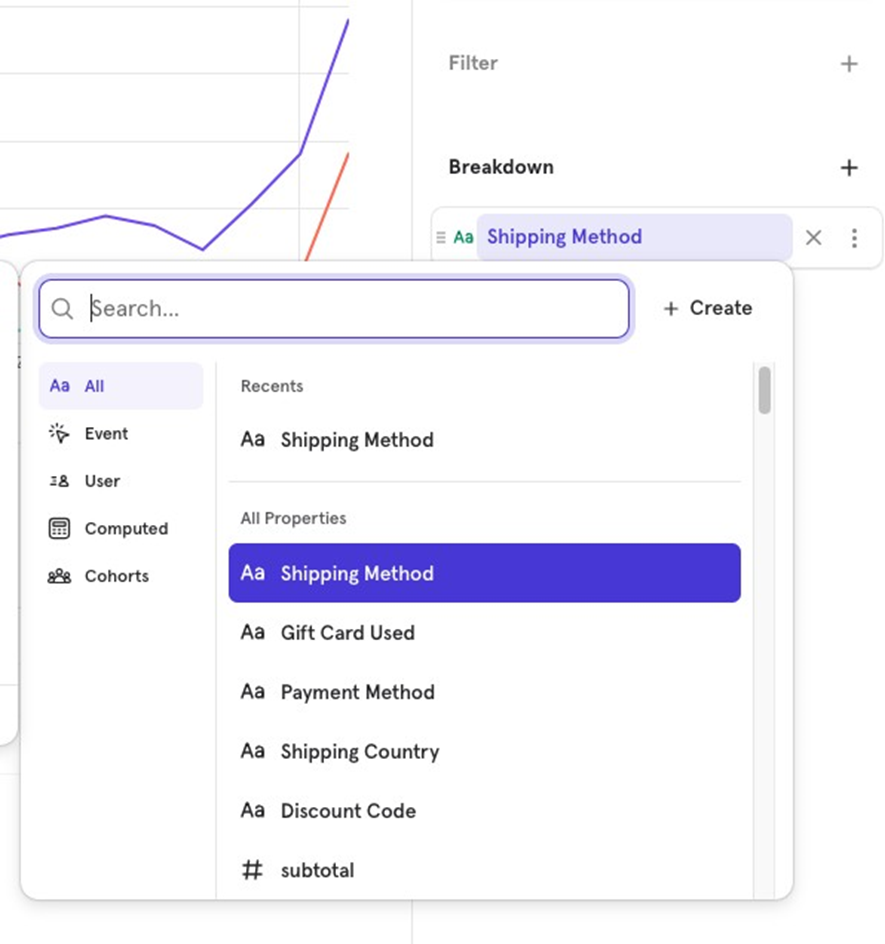
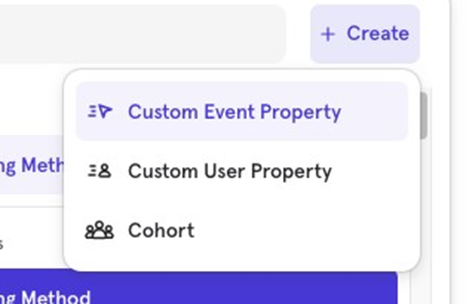
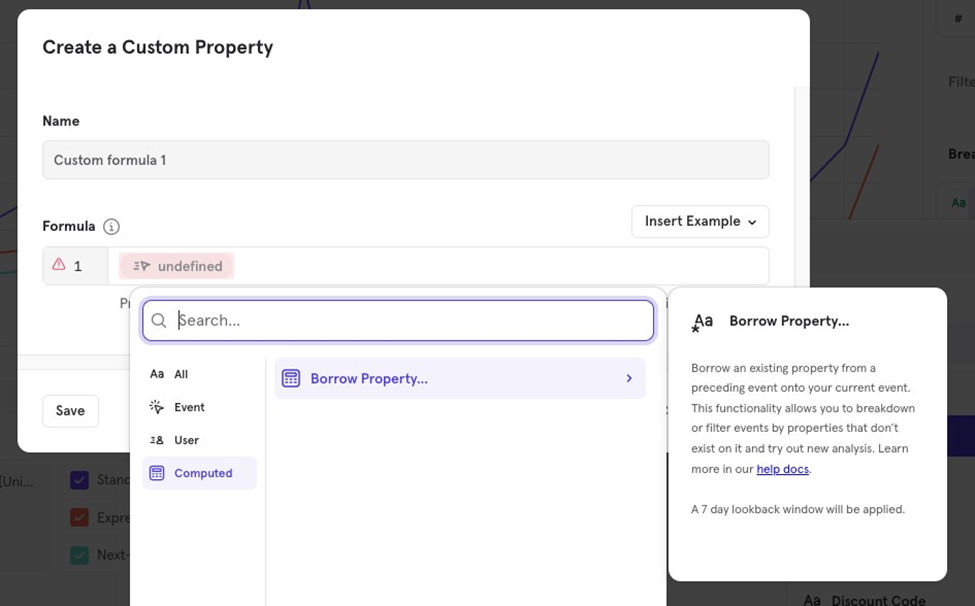
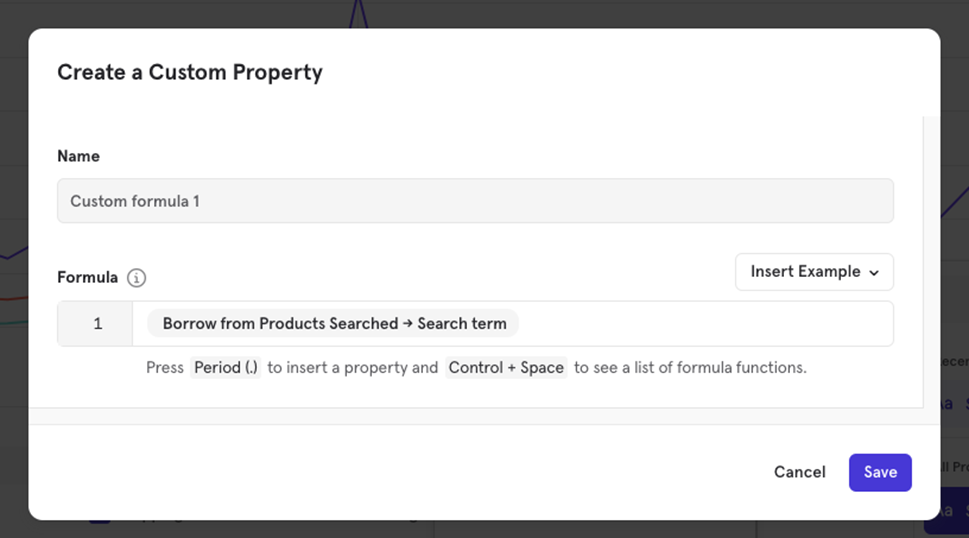
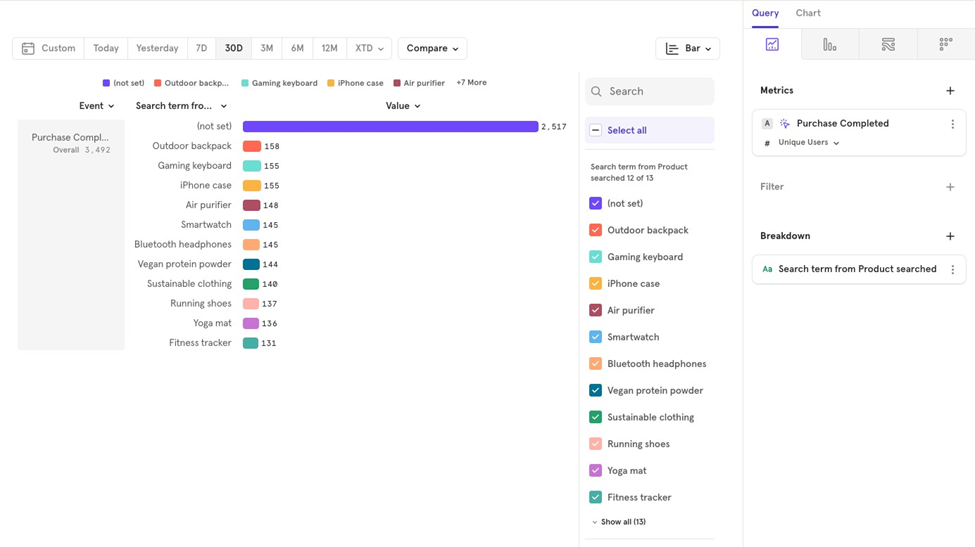
For every event where you borrow a property, Mixpanel looks back 30 days to fetch the most recent value.
Example:
- Purchase Completed event on 20th May.
- Products Searched event on 15th May, 10th May, and 1st April.
Mixpanel will ignore the 1st April event (because it’s outside the 30-day window) and choose the most recent event before the purchase 15th May) for borrowing the property.

![[Week 28] Learning Mixpanel: Computed Properties](/content/images/size/w600/2026/02/e73fb366-1c52-4f79-a28f-4a0b60d6998c_836x723.png)
![[Week 27] Learning Mixpanel: Bucket Customisation Types](/content/images/size/w600/2026/02/a81f7bcb-4886-4711-b1b8-af8c5fc6b1b8_463x476.png)
![[Week 26] Learning Mixpanel: Mastering Attribution with Mixpanel](/content/images/size/w600/2026/02/4e3a164c-bfb1-479f-9f09-2f8890eac413_885x787.png)