[Week 5] Learning Mixpanel: User Profiles
![[Week 5] Learning Mixpanel: User Profiles](/content/images/size/w1200/2026/02/c6f1dcf1-a31e-4f07-bf74-50f2f7091fdb_981x903.png)
Introduction
Welcome to Week 5 of Learning Mixpanel. I'm Ansh, a Mixpanel Certified Partner. I’ve had the privilege of working with 60+ startups, helping them set up their analytics infrastructure and gain actionable insights using Mixpanel.
Curious about my work? Check out my website for case studies, testimonials, and more details about what I do.
Today, I’m going to talk about user profiles in Mixpanel.
Let’s get into it
User Profiles
If your preferred consumption is audio visual - access the video on Youtube.
User profiles are created when Mixpanel identifies a new user. Each profile stores data on user events and properties.
Using the Users Tab, you can:
- Filter users based on specific events, cohorts, or property values.
- Customize the columns you see on the screen.
- Export users along with their properties.
Creating/ Updating a User Profile

There are 3 ways to create or update user profiles:
Create a profile
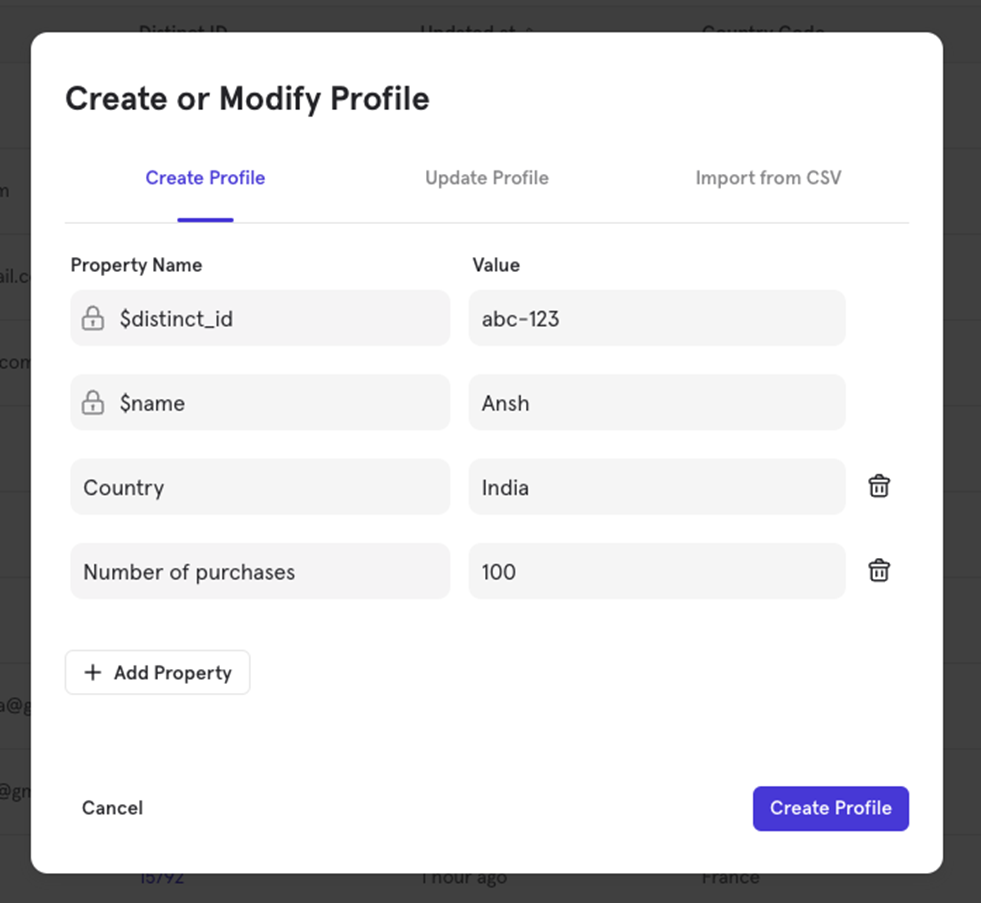
You can manually create a new user profile by specifying their distinct_id and name (required properties). You can also add other properties and their values. Once created, any event with this distinct_id will be linked to this user profile.
Update a profile
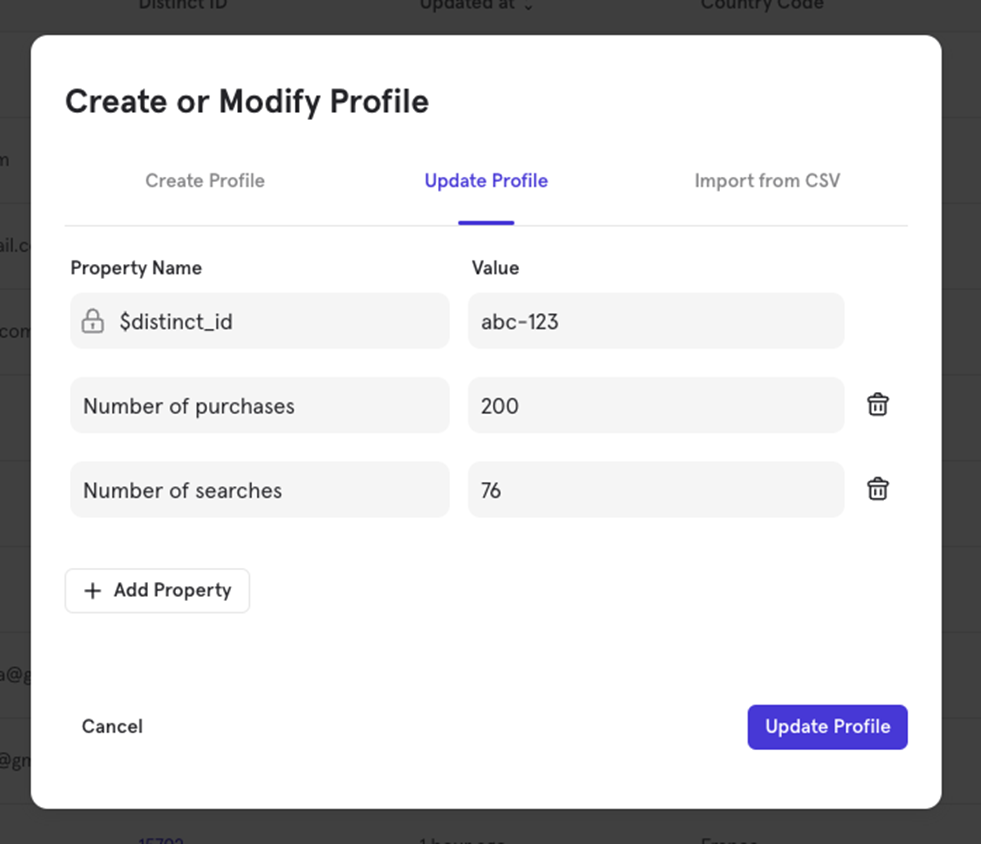
Updating a profile is similar to creating one. You can add new properties or update existing ones. For example, if a user profile has number of purchases as 100, you can update it to 200 and add a new property like number of searches.
Import from CSV Create/ Update a profile
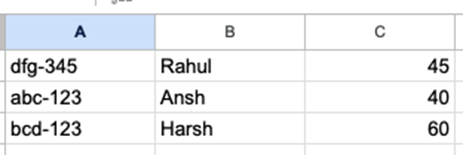
You can create or update multiple user profiles by uploading a CSV file. The file must include a column with distinct_id for Mixpanel to recognize the users.
The CSV doesn't need headers; otherwise, Mixpanel will treat them as data.
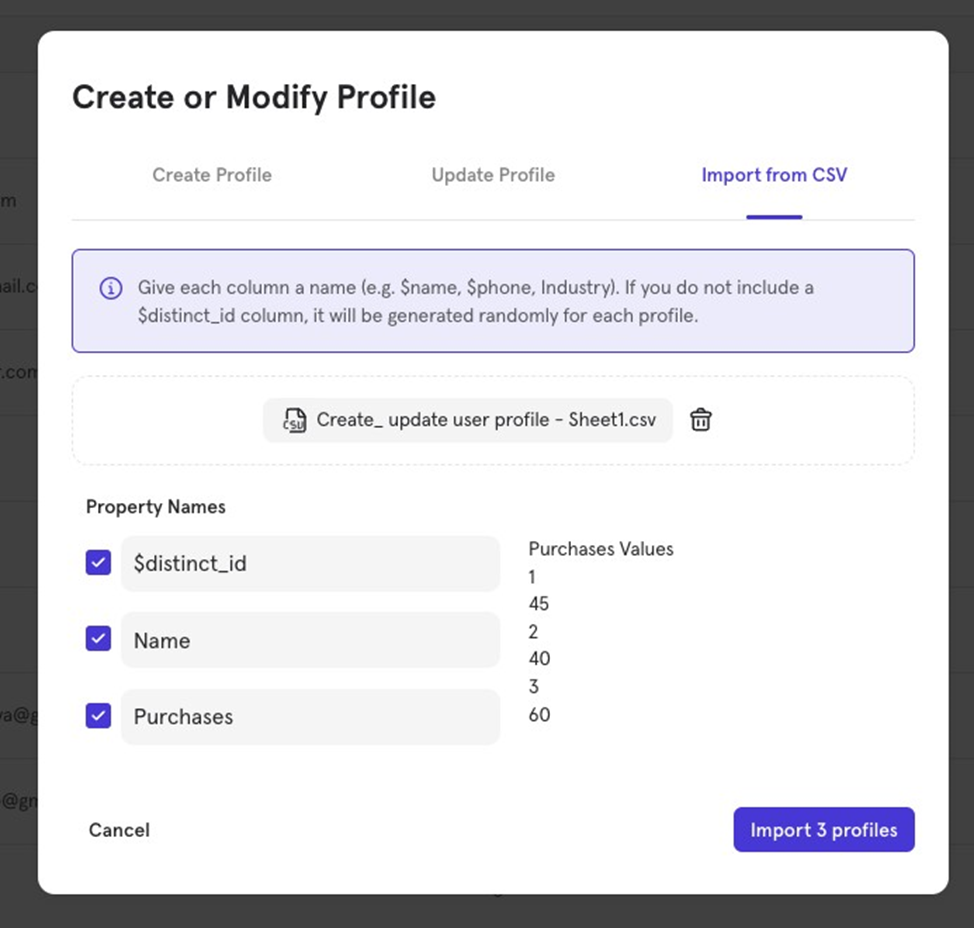
After uploading, assign names to each column (e.g., $name, $phone). If no $distinct_id column is present, Mixpanel will generate one.
Mixpanel will create new profiles for IDs that donʼt exist, and update the ones that do.
Updating/ Deleting a User Property
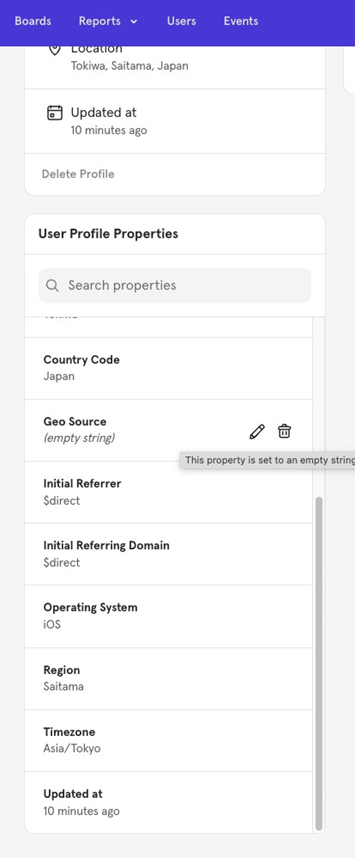
You can go to a specific user's profile and manually update their property value or delete a property from their profile as needed.
Mixpanel learning course
Every week, I’m going to talk about one topic from Mixpanel. If you’d like to access everything at once, take a look at my course on Mixpanel.
The course is a comprehensive deep dive into Mixpanel, covering each feature with relevant, practical examples.
By the end of the course, you'll become a Mixpanel expert—equipped with the knowledge and confidence to navigate and use the platform like a pro.
Having worked with 60+ startups, I’ve structured this course to focus on what actually gets used in Mixpanel and how.
Each chapter includes a video tutorial and a written document (with visuals) so you can choose the learning format that suits you best—video, text, or both!

![[Week 28] Learning Mixpanel: Computed Properties](/content/images/size/w600/2026/02/e73fb366-1c52-4f79-a28f-4a0b60d6998c_836x723.png)
![[Week 27] Learning Mixpanel: Bucket Customisation Types](/content/images/size/w600/2026/02/a81f7bcb-4886-4711-b1b8-af8c5fc6b1b8_463x476.png)
![[Week 26] Learning Mixpanel: Mastering Attribution with Mixpanel](/content/images/size/w600/2026/02/4e3a164c-bfb1-479f-9f09-2f8890eac413_885x787.png)