How to create a tracking plan before anyone writes code
A tracking plan is one sheet that contains every event you want to track and the properties that go on each event. Write it before anyone writes code, give it one owner who is not a developer, and that's your source of truth.
What I usually see is a founder asking the developers to "add some tracking", or saying something like: "we want to track signups, activation, these features, and these clicks." The developer goes off and adds some events.
Two things happen after that.
- The structure is so bad that when you want to do any meaningful analysis, you cannot.
- It goes stale. The developer changes the product, and the old events no longer match it. Nobody on the team knows what is being tracked, when it fires, or what it actually means.
As you scale and add team members, you stop trusting your data and you have nowhere to turn. You are back to asking a developer to pull something for you, and it is all messy.
What is a tracking plan?
A Tracking planOne sheet listing every event you track, when it fires and the properties it carries. Written before implementation, owned by someone who is not a developer.Glossary is a document where you list exactly what you want to track: which events, and which properties sit on each one.
An event is one thing a user does in your product, like completing signup. A property is a detail you save along with that event, like which signup method they used.
Say a user completes signup. You would list the Signup Completed event, and against it the properties you want:
- What email did the user sign up with?
- What signup method did they use?
- Was it a success or a failure?
- If it failed, what was the reason?
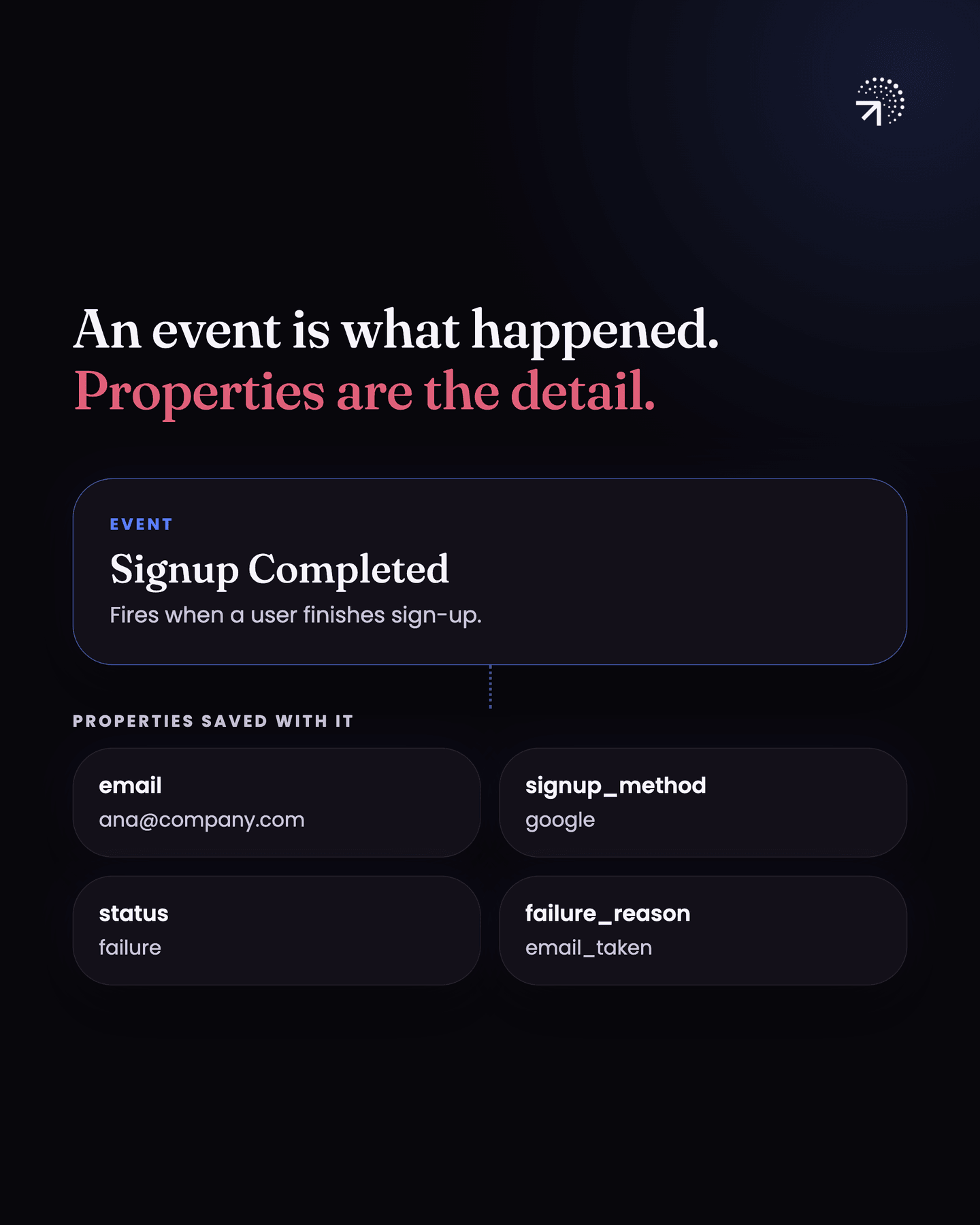
Do that for every action in the product and you have mapped out your entire product.
So create an Excel sheet where you write down exactly what you want to track. For each event, write down at least:
- The event name, like Signup Completed.
- When it fires, in one plain sentence.
- The properties it carries, like the four above.
- Property types (event, super, or profile)
- Example values
- Implementation status
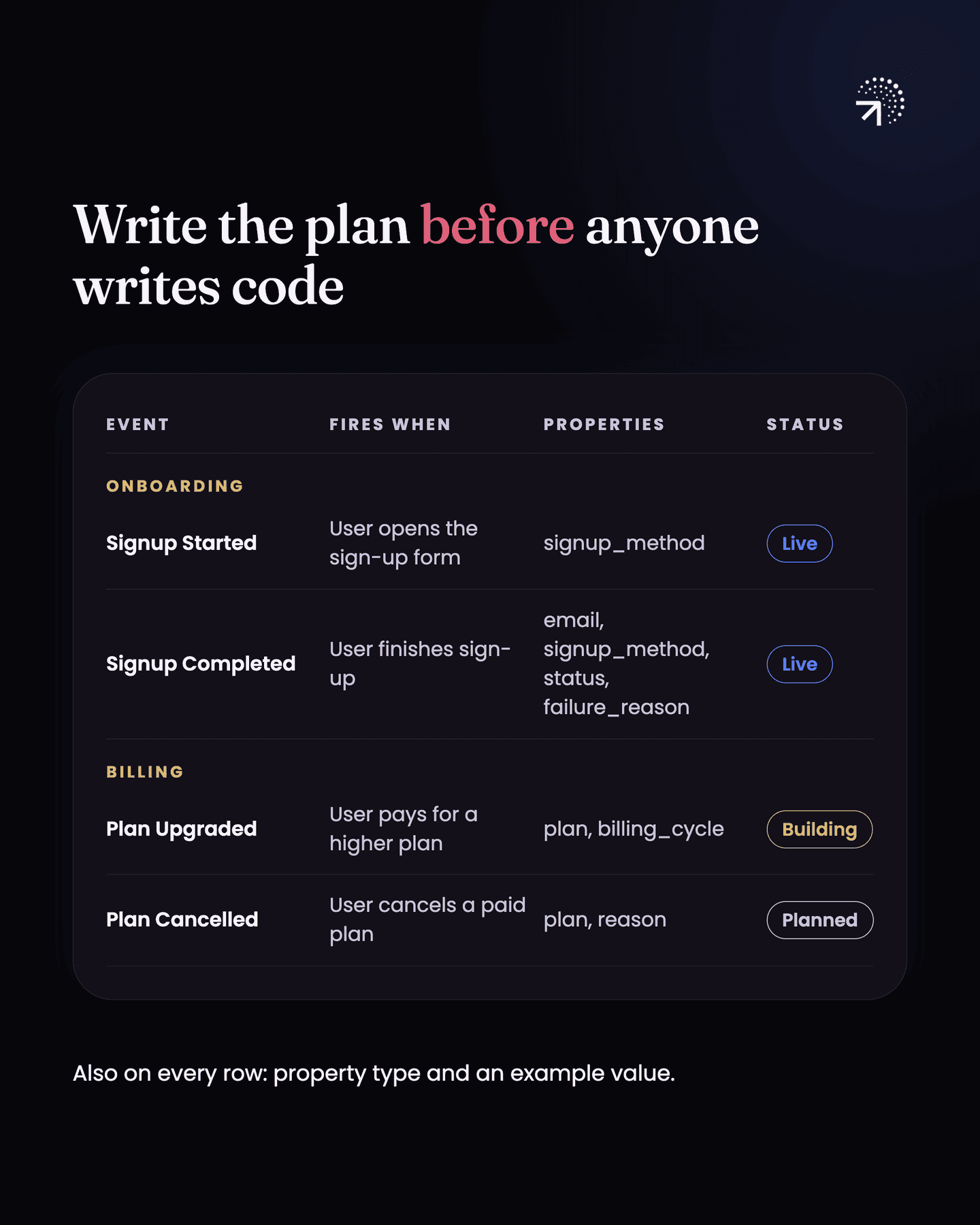
What are the three property types in a tracking plan?
The property type column decides where the data lives, and it is the part most founders have never been told about. There are three.
Event properties are tied to one action. They answer questions about that action. What percentage of users choose a monthly plan over a yearly one when they upgrade? That is a plan property on the upgrade event.
Profile properties are tied to the user, not the event, and they hold the user's current state. They get overwritten when the state changes. How many users are on a paid plan right now? That is a profile property.
Super properties get set once and then attach themselves to every event that fires after that. What plan was the user on when they posted their fifth post? That is a super property.
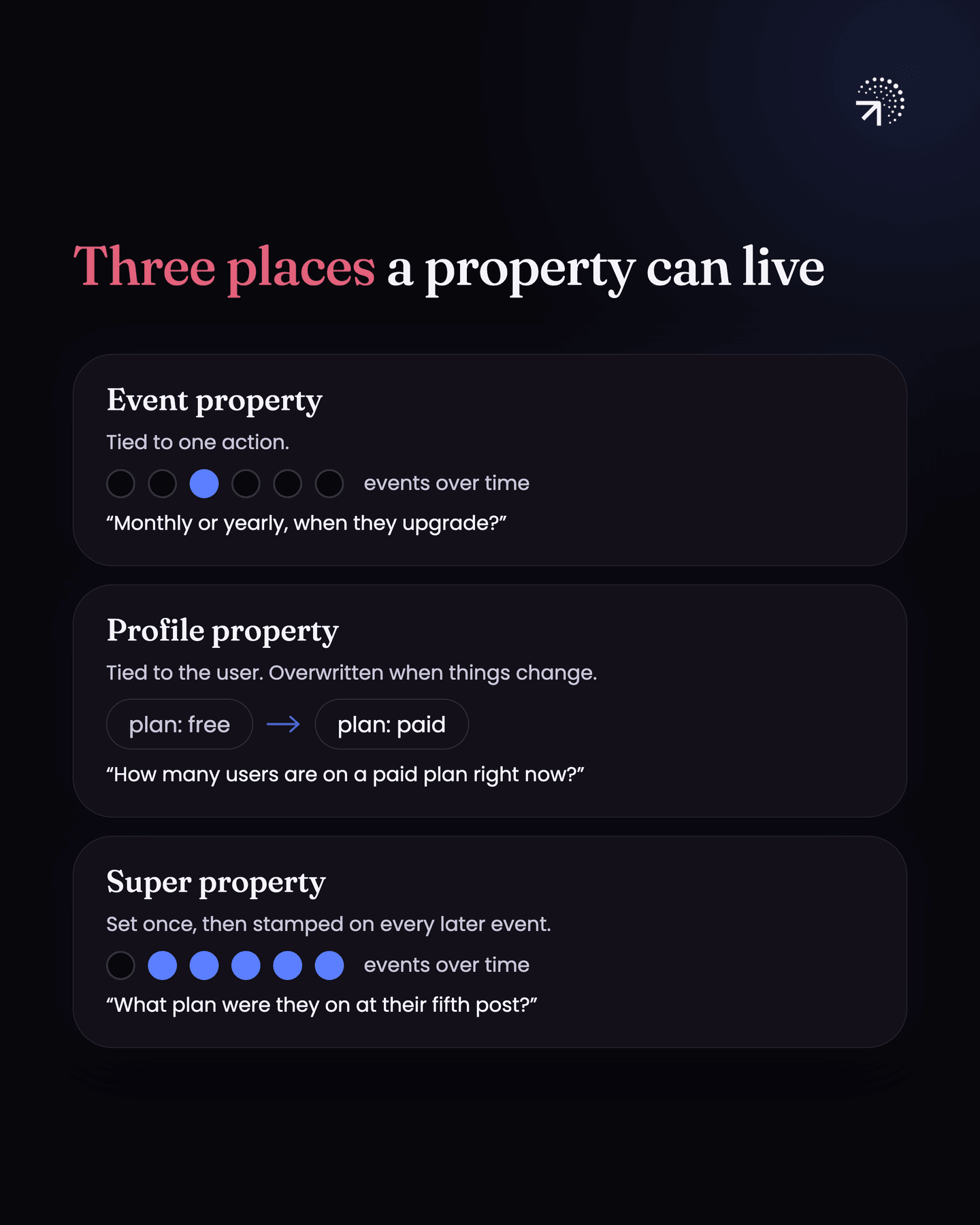
| Property type | Tied to | Example question it answers |
|---|---|---|
| Event | One action | What percentage of users choose a monthly plan over a yearly one when they upgrade? |
| Profile | The user's current state, overwritten when it changes | How many users are on a paid plan right now? |
| Super | Set once, then attached to every event that fires after | What plan was the user on when they posted their fifth post? |
Most of your properties will be event properties. Use profile and super properties to enrich the data, because they save you from stamping the same detail onto forty different events by hand.
How much should you track?
Resist the urge to track everything. Track what will actually inform your analysis and your decisions, and expand later when you have a specific need.
The test is one question. If you do not track this, do you lose an insight you would have acted on? If the answer is no, leave it out.
Take a one-page signup form. Start by tracking the Submit Form action. If you look at it later and the drop-off on that page is big enough to matter, then go back and add the field-level events to see where inside the form people stop.
This is not just tidiness. Every event is developer time to build and keep maintaining when the product changes, and Mixpanel, Amplitude and PostHog bill you on volume. Two hundred events you never open cost you money every month and slow down every change to the product. Twenty-five events you use are worth more than all of them.
How should you name events?
There are three conventions people use.
- Action based: clicked signup button.
- Outcome based: landed on signup page.
- Object then action: Signup Initiated.
Any of them works. What matters is that you pick one and stay with it, casing included. Pick camelCase or Title Case or snake_case and write it in the plan once.
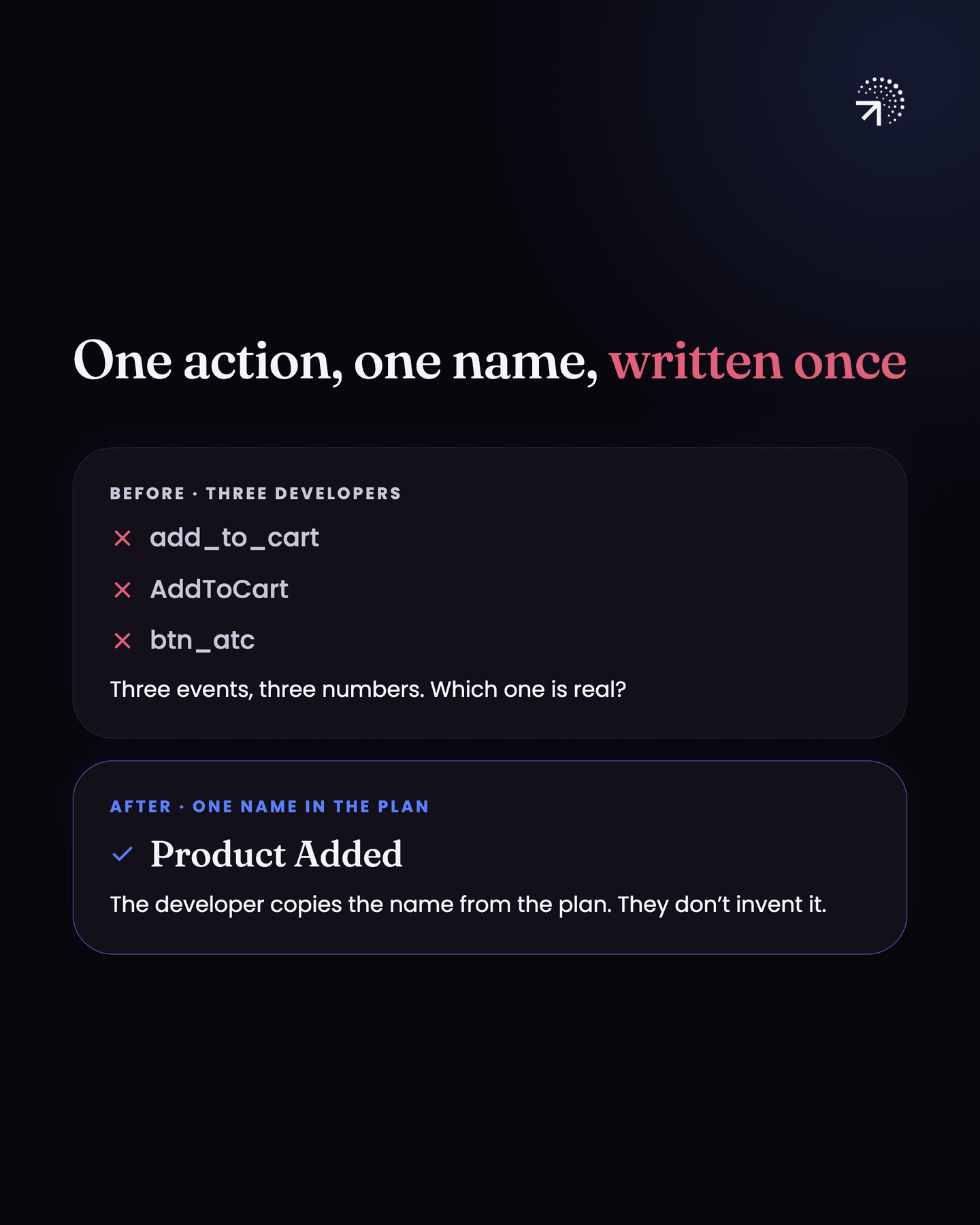
This is where the mess you saw earlier comes from. When one developer ships add_to_cart, another ships AddToCart and a third ships btn_atc, you have three events, three numbers that disagree, and nobody who can tell you which one is the real one.
The name in the plan is the spec. The developer copies that string. They do not invent it.
Should you use one event or several for similar actions?
Do not create multiple events for actions that are basically the same action. Use one event and a property to tell them apart.
- For an ecommerce app, track Product Viewed once, with a property saying which product was viewed. Do not create one event per product. Otherwise you end up with hundreds of events and no way to ask what the top viewed products are.
- For a SaaS product it can go the other way. If you want detailed usage on each feature, each feature gets its own event, because you are going to analyse them separately and they are not the same action.
The rule: if the actions fall under a single bucket, send a single event with a property. If they do not, use multiple events.
How should you organise a tracking plan?
Mirror your product's flow. Onboarding events together, then activation, then the core feature, then billing, in the order a user moves through them.
That makes it implementable, because the developer works through one screen at a time, and it makes it readable, because six months later someone can find the event they are looking for without reading all four hundred rows.
How do you keep a tracking plan from going stale?
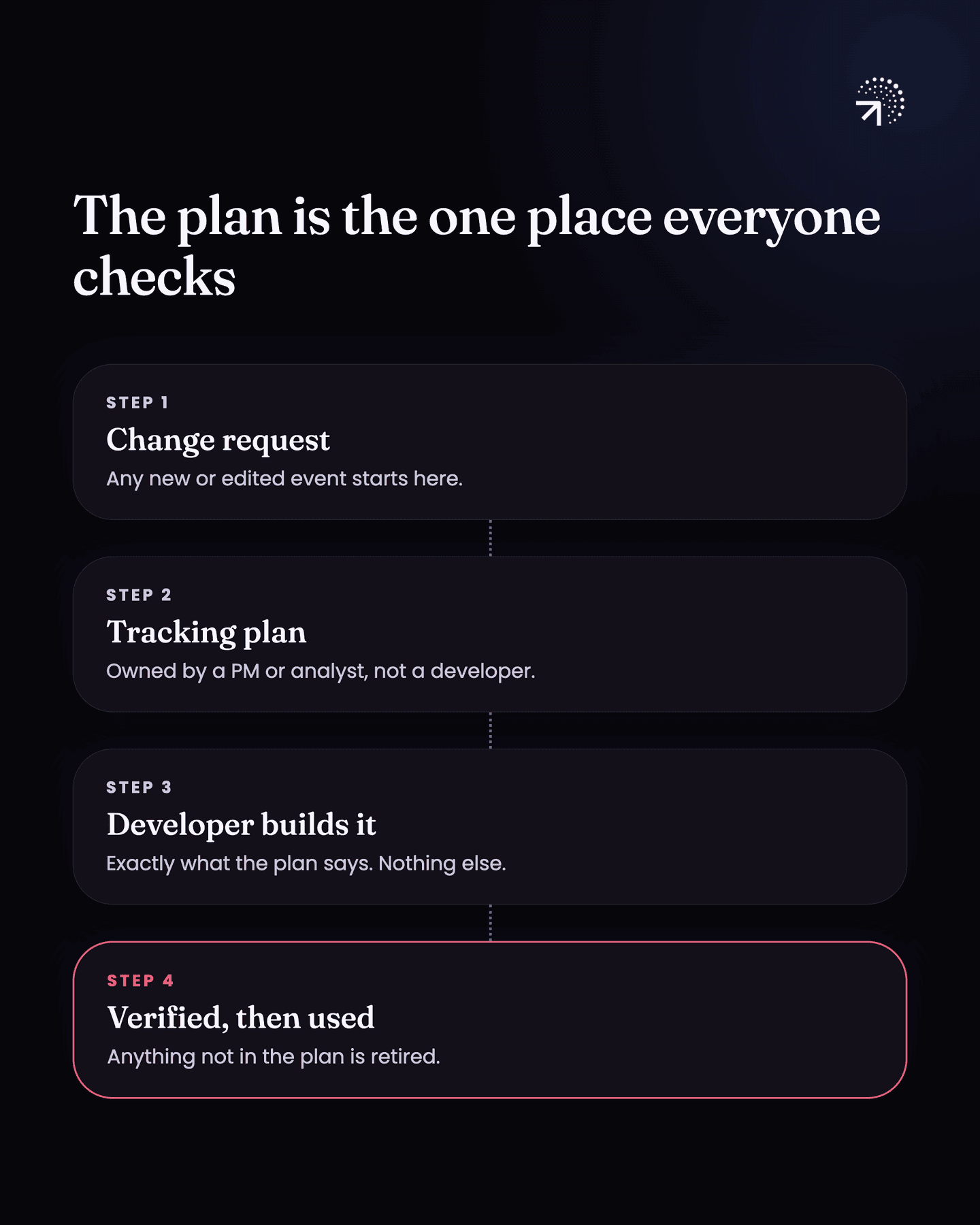
The plan only works if it is the one place everyone checks. Mixpanel's tracking plan guide puts it the same way: a centralized document that serves as the source of truth for your implementation.
Any change, any edit to an existing event, any new event goes into the tracking plan first. The developer then follows the plan. Anything that is not in the tracking plan does not get implemented and does not get used.
Older events that are already in the code and no longer in the plan should be stopped from firing, so nobody builds a report on something you have retired.
Who should own the tracking plan?
In most teams it should be a PM or an analyst, not a developer. The owner decides what goes into the plan, and the developer builds what is in it.
If nobody owns the plan, it stops matching the product within a month and you are back where you started. That is the whole reason this fails, and it is not a tooling problem.
Common questions
What is a tracking plan?
One sheet listing every event you want to track, when it fires, and the properties it carries. It's written before implementation and it's the source of truth for what your analytics tool should contain.
Who should own the tracking plan?
Someone who is not a developer, usually the founder, PM or analytics owner. The person who writes the code shouldn't also be the person deciding what the code should do, or the plan drifts towards what was easy to build.
What should a tracking plan include for each event?
At least the event name, when it fires in one plain sentence, the properties it carries, each property's type (event, super or profile), example values and implementation status.
How should you name events in a tracking plan?
Pick one convention (action based, outcome based, or object then action) and stay with it, casing included. The name in the plan is the spec: the developer copies that string and does not invent it.
What is a super property?
A property that gets set once and then attaches itself to every event that fires after that. It saves you from stamping the same detail onto forty different events by hand.