Data accuracy as a system: keeping numbers right
Verifying an event tells you it worked that day. Staying accurate takes three habits: alerts on events and properties, new-event checks, database checks. The three run on their own, so you find out what your data is doing without going looking for it. Alerts catch problems as they happen, verification catches new events that were never checked, and the database check catches a gap that suddenly widens.
So here is what the system looks like.
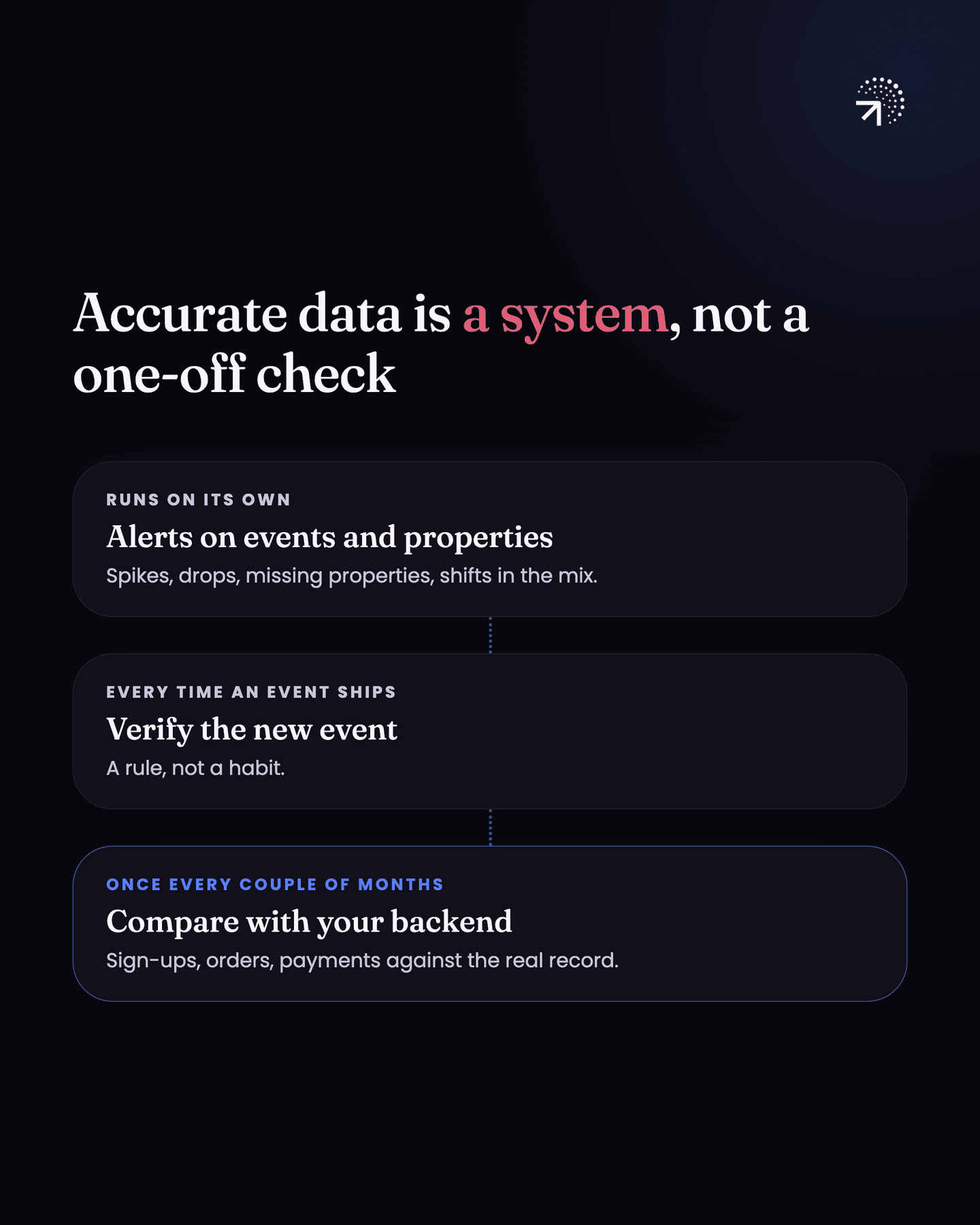
| Habit | When it runs | What it catches |
|---|---|---|
| Alerts on events and properties | Continuously | Spikes, drops to zero, a property that stops showing up, a shift in a property's distribution, one person showing up as several |
| Verifying every new event | Every time an event ships | New events nobody checked, especially the ones added six months in |
| Comparing against the backend database | Once every couple of months | A gap between analytics and the database that suddenly widens |
What should you set analytics alerts on?
You want to know when:
- an event spikes or drops, including all the way to zero
- a property stops showing up with an event
- a property value changes
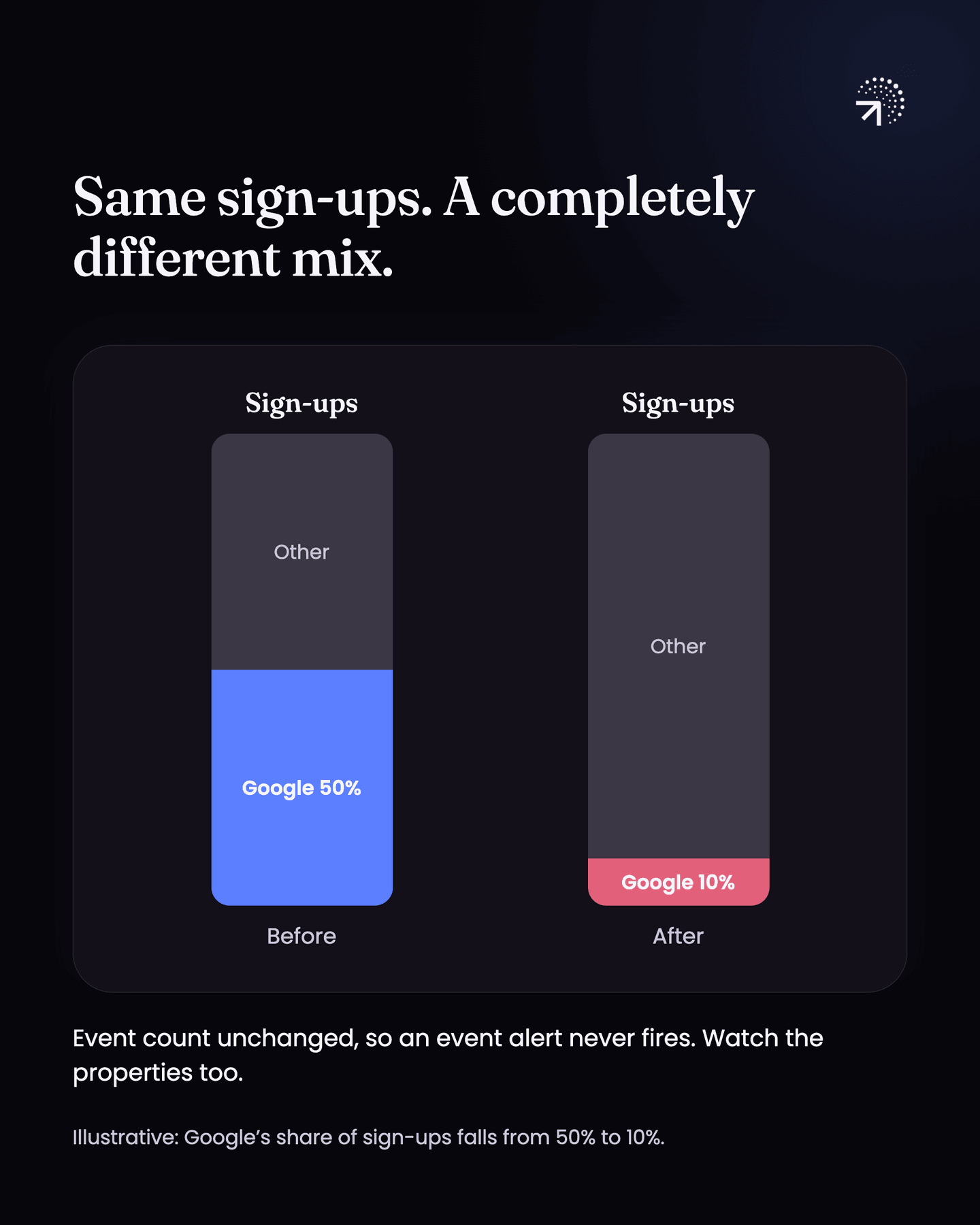
- a property's distribution shifts, so 50% of your sign-ups were coming from Google and one day it is down to 10%
- your tool stops linking actions to the right user, so one person starts showing up as several (more on this in the Identity stitchingJoining all of one person's activity into a single profile, whatever device or browser it arrived from. Get it wrong and every per-user number is wrong in the same direction.Glossary chapter)
Your analytics tool covers part of this. Mixpanel, PostHog and Amplitude all let you set threshold alerts on a report, and all three have anomaly detection that flags a metric moving sharply against its own history (Amplitude's alerts, for example).
Mixpanel and PostHog can both alert on a breakdown, so a property is not out of reach. But you build that alert yourself, one report at a time, and you have to already know which property is worth watching. Nobody does that across forty events, so in practice the properties go unwatched.
That matters because a property problem does not move the event count. A property stops coming through, or your sign-ups stay flat while the mix inside them changes, with Google going from 50% of your sign-ups to 10%. The event count is identical either way, so nothing fires.
I have built a tool that covers this for Mixpanel and PostHog, so that is worth a look. Pravix
Even if you do not use it, get something running (warehouse cron jobs) on your core events at least. The point is to find out what your data is doing without going looking for it.
Do you need to verify every new event you add?
Yes. That is the verification process from the previous chapter, Event verification. The system part is doing it every time an event ships, not only at launch.
Make it a rule rather than a habit, because the events added six months in are the ones nobody checks.
How do you check analytics numbers against your backend database?
Your backend database holds the real record of sign-ups, orders and payments, and your engineer can pull counts from it.
Take a few of your core metric numbers and check what your Product analyticsThe analysis of what users do inside your product. The test is whether you can point at a row of data and name the user who did it.Glossary tool reports against what that database says. Do this once in a couple of months.
They will not match exactly, and they are not supposed to. Some events never reach your analytics tool:
- ad blockers stop the tracking code from running
- consent tools, the cookie banners where users can say no, block tracking for people who decline
- some tracking requests fail on a bad connection and never arrive
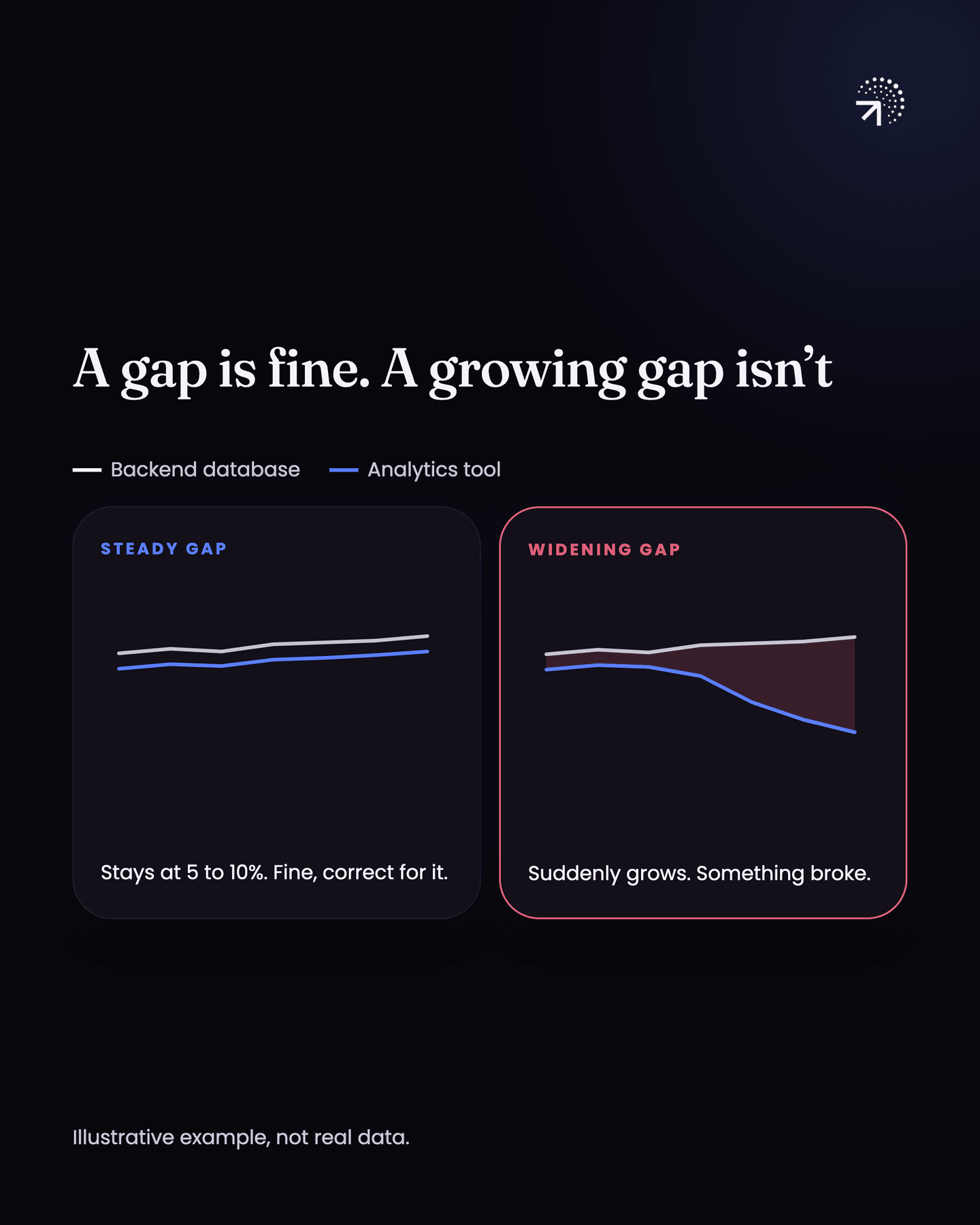
So your analytics number will always sit a little below your database number.
What matters is the size of the gap and whether it stays put. A gap that holds steady is fine (5-10%), because you can correct for it. A gap that suddenly widens means something broke between the two.
The data loss chapter goes through where that data usually goes missing.
Common questions
How do you keep analytics data accurate over time?
Three habits. Set alerts on your events and properties so you hear about spikes, drops and distribution shifts. Verify every new event you add. And compare your analytics numbers against your backend database regularly.
What should you set analytics alerts on?
Events spiking or dropping, including to zero; a property that stops appearing; a property value changing; a property's distribution shifting; and identity breaking so one person shows up as several.
Should analytics numbers match your backend database?
Not exactly. Ad blockers, consent tools and failed requests mean your analytics number will always sit a little below your database number. A gap that holds steady, around 5 to 10%, is fine; a gap that suddenly widens means something broke.
How often should you compare analytics numbers against your database?
Once every couple of months. Take a few core metrics, like sign-ups, orders and payments, and check what your product analytics tool reports against what the database says.