Event verification: how to QA tracking before you trust it
After your team ships event changes, somebody has to check that what's arriving in your analytics tool is what you asked for. Verification runs after implementation and before anyone uses the data, in three layers: what fired, whether what fired is right, and whether every surface was checked.
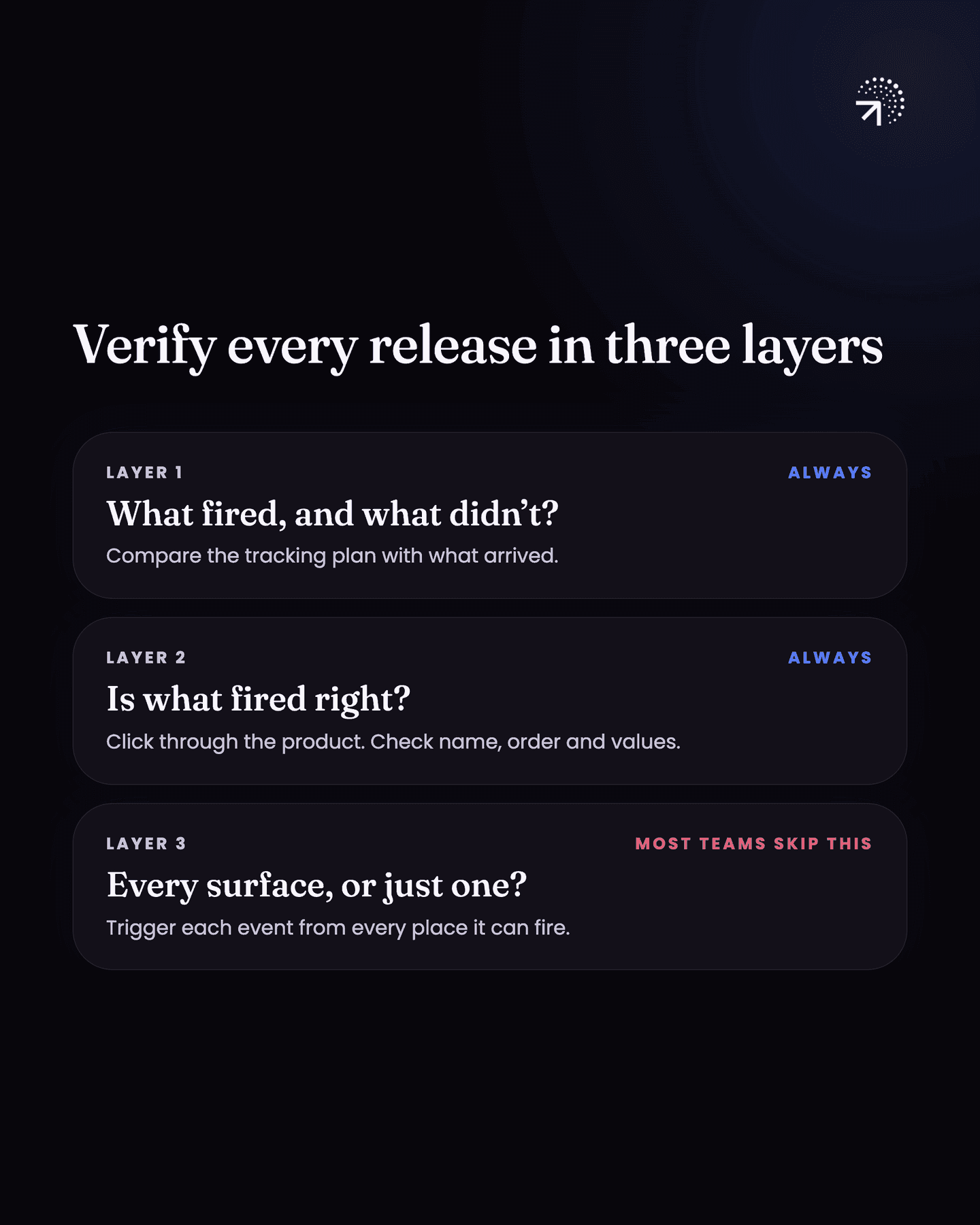
Verification has three layers:
Check what fired, and what didn't
Compare what is arriving against the tracking plan.
Click through the product yourself
Trigger the events the way a user would, and check the details.
Check every surface
Every place an event can fire from, not just the one in front of you.
Do the first two always. The third is the one most companies skip.
| Layer | What you check | How you check it | Can you skip it? |
|---|---|---|---|
| 1. What fired | Which events and properties in the plan have arrived, and which haven't | An AI assistant, connected through MCP, compares your analytics tool against the tracking plan | No |
| 2. Is it right | Whether each event fired, in the right order, with the right name and property values, and whether identity holds | Click through the product yourself and watch the events land | No |
| 3. Every surface | Every place an event can fire from, not just the one in front of you | Trigger the event from each surface and check each result | Plenty of companies do; do it if you have the time and the resources |
Let's get into it.
Who should verify event tracking, and when?
Verification runs after implementation and before anybody is allowed to use the data. Every release that touches events gets one.
The person who owns the Tracking planOne sheet listing every event you track, when it fires and the properties it carries. Written before implementation, owned by someone who is not a developer.Glossary does the checking, not the engineer who wrote the code.
Someone checking their own implementation is checking it against what they built. That's not the same as checking it against what you asked for.
Layer one: how do you check which events fired?
Ask an AI assistant to compare what's arriving in your analytics tool against your tracking plan.
Most Product analyticsThe analysis of what users do inside your product. The test is whether you can point at a row of data and name the user who did it.Glossary tools now have an MCPA connector that lets an AI tool read directly from another tool, such as your analytics platform or your database. It is what makes an agent able to answer questions about your own numbers.Glossary connector. That's a plug-in that lets an AI assistant read your analytics tool directly, so you can ask it questions about your data in plain English.
Connect it to your analytics tool, hand the AI your tracking plan, and ask it to compare the two.
What comes back is a map:
- events in the plan that have fired
- events in the plan that haven't fired at all
- properties that are coming through
- properties you can't see anywhere
That map takes minutes to produce, and it covers every event in the plan.
Layer two: how do you check the events that fired are right?
Open the product and trigger events the way a user would. Then go back into your analytics tool and watch them land. In Mixpanel that's the Events view, a live feed of incoming events with all their properties. PostHog has the same feed in its Activity tab. In Amplitude, look up your test user and turn on live event updates.
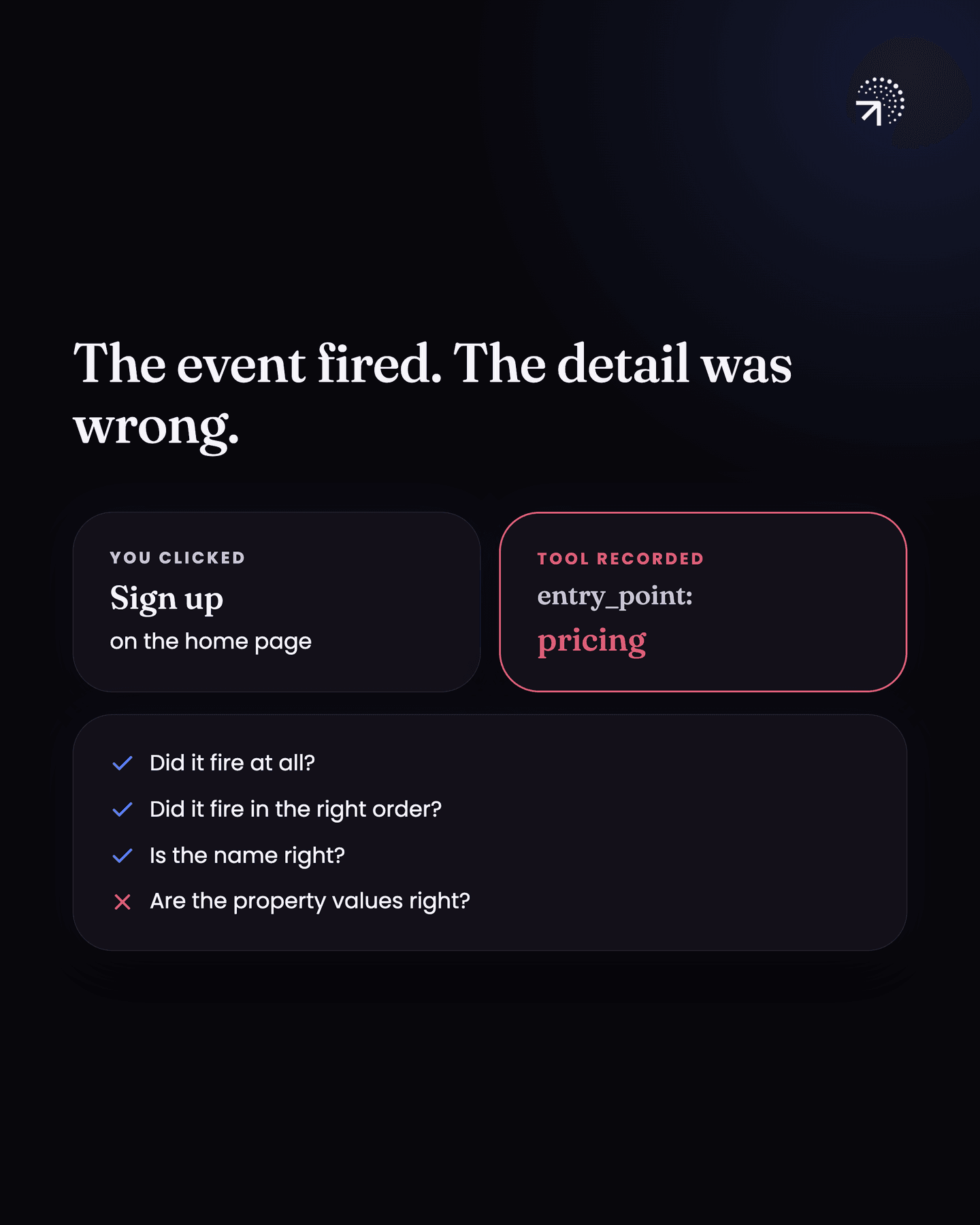
For each event, check four things:
- Did it fire at all?
- Did it fire in the right order?
- Is the name right?
- Are the property values right?
Say you have a signup click event that can fire from ten different places, and a property called source or entry point that records where the click came from.
You click sign up on the home page. The analytics tool says pricing.
That's broken, and you want to know about it now rather than three months from now when someone builds a report on it.
Check user identity while you're in there
A user who's just arrived on your site, or just downloaded your app, hasn't signed up and hasn't logged in. Your analytics tool gives them an Anonymous IDThe random identifier an analytics tool gives a visitor before it knows who they are. It survives until identify runs, and everything done before that point hangs off it.Glossary automatically.
The moment they sign up or log in, they need a permanent ID. Your engineer also has to trigger a piece of tracking code called identify. Identify tells the tool "this anonymous visitor is this signed-up user", so it can connect the two.
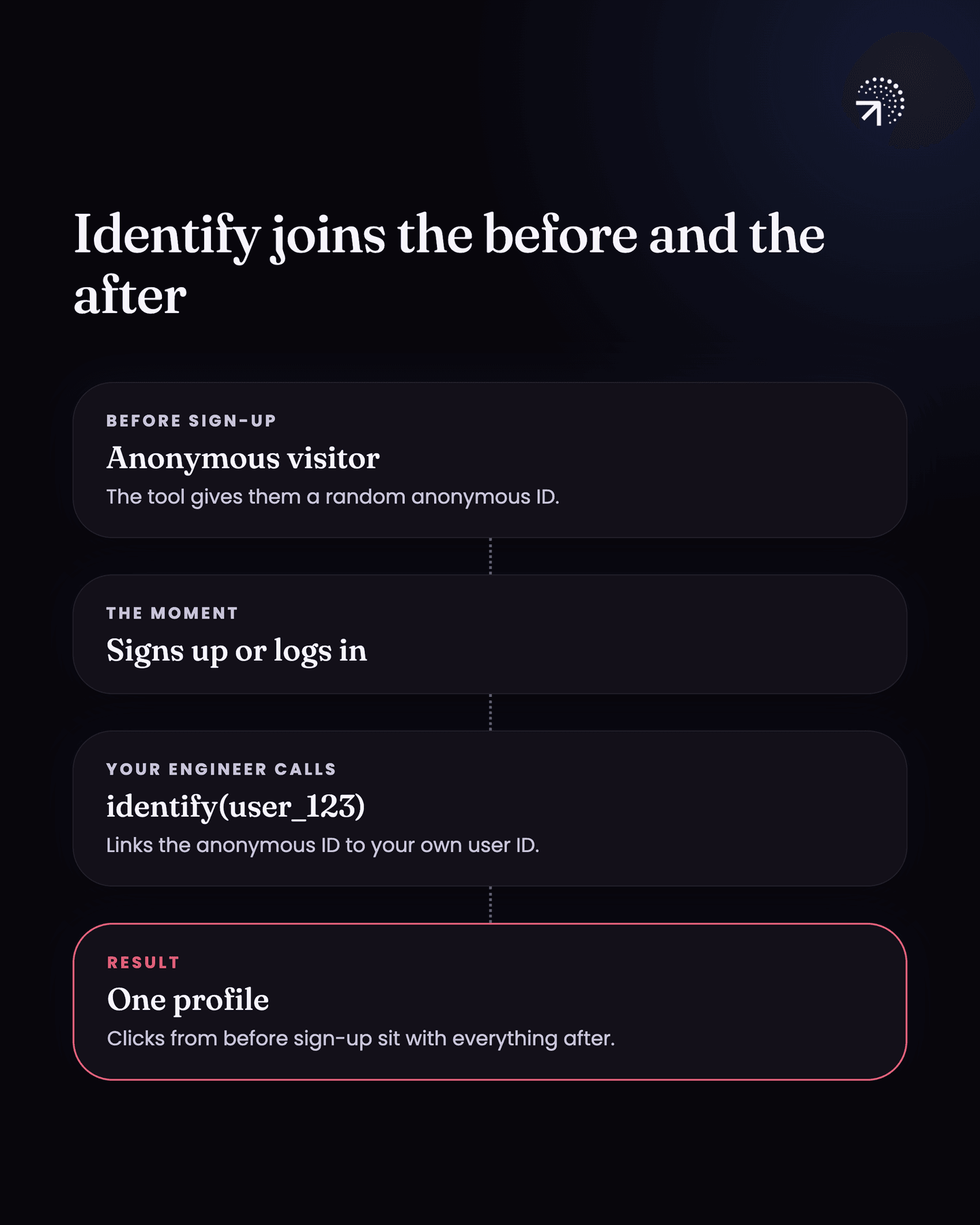
When the same person later logs in from a different browser or a different phone, identify fires there too. Everything from every device then merges into one profile.
That's what identity is for. Every event and every piece of data for one person sits under one user profile instead of scattering across three or four.
To check it:
Verifying identity
4 items
If identity is broken, your analysis is broken. Every number you pull afterwards will be wrong, and it'll be wrong in a way that looks perfectly reasonable on a chart.
Layer three: have you checked every surface an event fires from?
A surface is any place in the product an event can fire from: the home page, the pricing page, a popup, the app.
Go back to the signup click that fires from ten places.
When you check manually, you check one surface, maybe two. Then you assume the other eight are fine because the two you looked at were fine.
The broken ones are usually in the eight you didn't check.
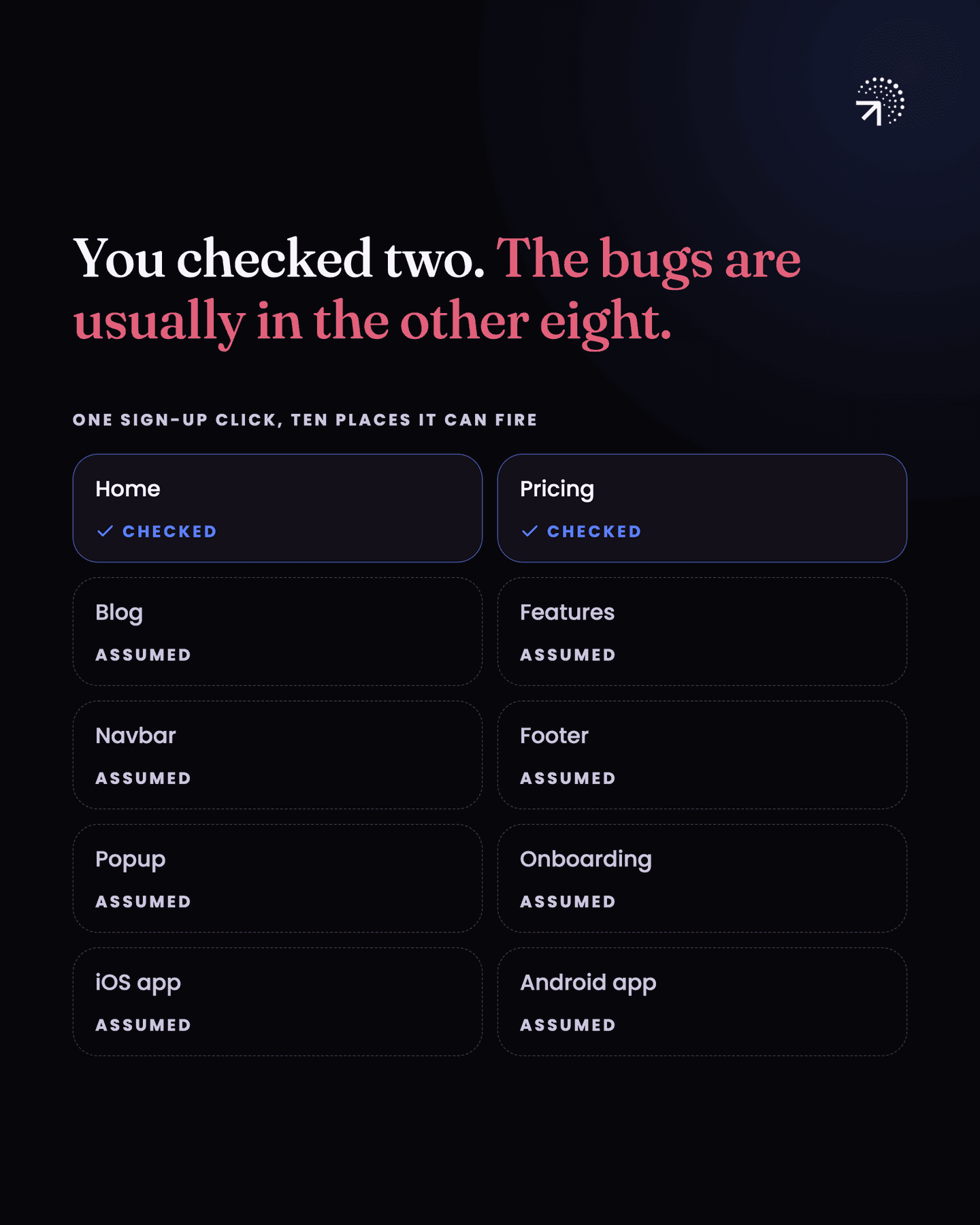
Doing it properly means triggering the event from every one of those ten surfaces and checking each result, the same way you did in layer two.
That's real work. Twenty events, each firing from several surfaces, adds up fast, and there's no quick way through it.
Plenty of companies skip layer three, and I'm alright with that up to a point. If a couple of surfaces check out, and the numbers hold up when you build a report and break it down by surface, you're probably in decent shape.
But if you want every surface confirmed rather than assumed, layer three is how you get there.
If you have the time and the resources, do it.
Common questions
How do you verify Mixpanel events are firing correctly?
Three layers. Compare what's arriving against the tracking plan, which an MCP connector can do in minutes. Then click through the product yourself and watch events land, checking name, order and property values. Then repeat for every surface the event can fire from.
Who should verify event tracking?
The person who owns the tracking plan, not the engineer who implemented it. Someone checking their own implementation is checking it against what they built, not against what was asked for.
What is event verification?
Checking, after your team ships event changes and before anyone uses the data, that what's arriving in your analytics tool is what you asked for in the tracking plan.
How do you check that identify is working?
Visit the product logged out and click around, then sign up. Open that user's profile in your analytics tool and confirm the clicks from before you signed up are under it. Then log in on a second browser or phone, do something, and check it lands on the same profile.
What is a surface in event tracking?
Any place in the product an event can fire from, such as the home page, the pricing page, a popup or the app. Checking one or two surfaces and assuming the rest are fine is how broken events get missed.